Tag: agentic browsing

  • From the Field: Agentic Browsing Is the Weakest Score We’re Seeing

    From the Field: Agentic Browsing Is the Weakest Score We’re Seeing

    Agentic Browsing is still early, but we are starting to see a clear pattern in the websites we test.

    At ONIK, we monitor websites across several areas, including uptime, response time, performance, accessibility, SEO, best practices, and Agentic Browsing. That gives us a useful view into how websites are performing beyond a one-time audit or a single page speed test.

    We have already written about what Agentic Browsing is, why Google Lighthouse now checks for it, and why it may push accessibility standards forward. This article is a little different. This one is about what we are seeing in the field.

    Across the thousands of URLs monitored in ONIK, we reviewed the 7-day average Agentic Browsing scores to better understand how prepared websites are for AI agents and automated browsers. The results showed a clear gap.

    The average Agentic Browsing score was only 40.7/100.

    That gap is the story and also represents the biggest opportunity. It suggests that many websites may look fine through traditional testing, but still may not be easy for AI agents or automated browsers to understand, navigate, or interact with confidently.

    Why this matters now

    AI traffic is already here, and it is on the rise.

    Cloudflare reported that AI crawlers represented about 20% of Verified Bot traffic in 2025, while search engine crawlers represented about 40%. Cloudflare also reported sustained growth in ChatGPT-User traffic, which is generated when ChatGPT visits pages in response to user requests.

    Imperva reported that automated traffic surpassed human traffic in 2024, accounting for 51% of all web traffic, with bad bots making up 37%.

    HUMAN Security reported that monthly AI-driven traffic grew 187% from January to December 2025, while traffic from AI agents and agentic browsers grew 7,851% year over year.

    Those numbers are not all measuring the exact same thing. A crawler collecting content is different from an AI agent trying to complete a form, compare vendors, book an appointment, or check out on behalf of a user. But that distinction is exactly why this matters.

    The web is not only being indexed anymore. It is increasingly being interpreted, summarized, navigated, and acted on by software. As that shift continues, website readiness will need to include more than speed, uptime, and traditional accessibility checks. It will also need to include whether an agent can understand what a page is, what actions are available, and how to complete them reliably.

    What Agentic Browsing can do for a visitor

    When people hear “AI agents,” it can sound abstract. But on a website, the use cases are practical.

    An agent may read a site to find information, answer a question, or collect key details for a user. That could mean finding pricing, comparing service options, checking availability, summarizing a policy, or pulling together key information from a long page.

    It may also complete simple interactions. An agent could use a search field, fill out a contact form, submit an expression of interest, or help a visitor find the right next step.

    Over time, those interactions may become more complex. Agents may help users register for events, configure a service, purchase a product, submit a support ticket, update account information, or complete a multi-step workflow.

    For that to work well, the website needs to provide more than content. It needs structure. It needs clear labels, predictable actions, understandable forms, and pages that communicate meaning in a way software can interpret.

    That is where many websites are not ready yet.

    The weakest category was Agentic Browsing
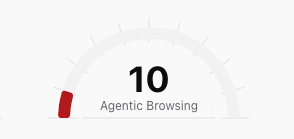
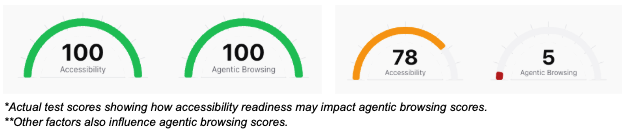
    Speedometer chart of an actual agentic browsing score in ONIK.

    Across the thousands of URLs we reviewed, Agentic Browsing was the weakest category by a wide margin.

    The average Agentic Browsing score was just 40.7. Looking deeper into the sample, over 70% of URLs tested had an Agentic Browsing score below 50. About two-thirds scored poorly, below 40, while less than 10% scored 70 or higher.

    This does not mean those websites are broken. It does not mean they are slow. It does not mean they are unusable. It means that, when evaluated through an Agentic Browsing lens, many pages are not providing enough structure, clarity, or machine-readable context for agents to understand and interact with them confidently.

    That is not especially surprising. Agentic Browsing is a newer category. Standards like WebMCP and llms.txt are still emerging, and most websites were not built with agent-driven browsing in mind. Still, the size of the gap is meaningful.

    It shows that agent-readiness may become a separate layer of website quality, not something that can simply be assumed because a site already performs well elsewhere.

    Strong scores do not always mean agent-ready

    One of the more useful findings was that strong performance and accessibility scores did not always translate into strong Agentic Browsing scores.

    We saw many pages with strong performance scores, strong accessibility scores, or both, that still scored poorly for Agentic Browsing. That is probably the strongest takeaway from this review: a website can be fast, accessible, and still be poorly prepared for agent-driven interaction.

    That does not make the existing work less valuable. A fast, accessible website is still a better website. It simply shows that Agentic Browsing is adding a new layer to how website readiness should be evaluated.

    Performance, accessibility, and agent-readiness are connected, but they are not the same thing. A page can load quickly and still be difficult for an automated browser to interpret. It may have unclear buttons, weak labels, non-semantic page elements, confusing form structures, or interactions that rely heavily on visual context.

    We explored the connection between Agentic Browsing and accessibility in more detail in our earlier article on how Agentic Browsing may push accessibility standards forward. But the data shows the overlap is not complete. Agentic Browsing builds on performance and accessibility, while also exposing gaps those scores may not fully capture on their own.

    What this means for website owners

    For website owners and operators, this matters because AI agents are likely to become part of how users research services, compare options, complete forms, book appointments, make purchases, and interact with websites more generally.

    Gartner has projected that by 2028, 33% of enterprise software applications will include agentic AI, up from less than 1% in 2024. It also predicts that at least 15% of day-to-day work decisions will be made autonomously through agentic AI by 2028.

    That does not mean every website interaction is about to become agent-driven overnight. It does suggest that agents are moving from demos and experiments into the tools people use to get work done.

    As that happens, websites will increasingly need to be understandable not only to people, but also to the systems acting on their behalf.

    The practical takeaway is not that every website needs to chase every emerging AI standard immediately. The better starting point is to understand where your site may already be creating friction.

    Are key pages structured clearly? Are forms properly labeled? Are buttons and links understandable without relying only on visual context? Does the page make its purpose clear in the structure of the site, not just in the design? Can an automated browser understand what actions are available and what step should come next?

    These are not only agent questions. They are website quality questions. That is why we continue to come back to the idea that Agent-ready = Human-ready.

    Next Steps

    What we’re stoked about is making sites agent friendly ultimately makes them a better experience for humans. Here are some steps you can take to improve both.

  • Agentic Browsing Might Finally Make Accessibility Impossible to Ignore

    Agentic Browsing Might Finally Make Accessibility Impossible to Ignore

    For years, website accessibility has been treated like a separate project. Important, but later.  Something for legal, compliance, or the next redesign. That was always the wrong way to think about it. Accessibility is not a side project. It is website quality.  Agentic Browsing may finally make that harder to ignore.

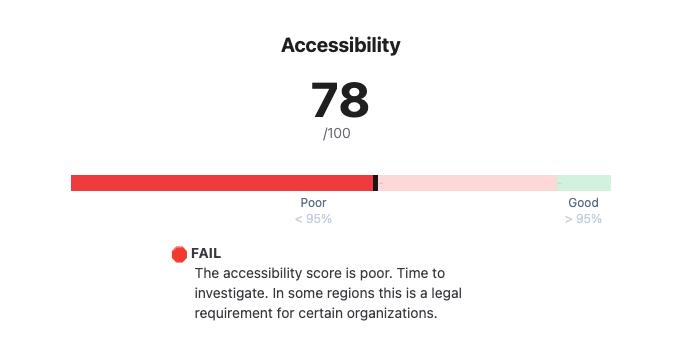
    We know this because the majority of the sites we test fail basic accessibility checks.

    LightHouse Implements Agentic Browser Testing

    Google’s Lighthouse now includes an Agentic Browsing category that looks at how well a page performs for AI agents and automated browsers. One of those checks is agent accessibility, which uses the browser’s accessibility tree to help agents understand page elements like buttons, links, labels, and decorative content.  

    That matters because the accessibility tree is already used by screen readers and assistive technology. The same structure that helps a person navigate a website may also help an AI agent understand what the page contains and what actions are possible. That does not make accessibility new, it makes the business case louder.

    AI Agents Need the Same Signals Accessibility Depends On

    AI agents do not browse websites the same way people do. They do not interpret a page based on visual design alone, and they cannot always “figure it out” because something looks obvious on screen.

    • They need structure. 
    • They need signals. 
    • They need the page to explain itself in ways machines can understand.

    That means real buttons, real links, clear labels, logical headings, stable layouts, and forms that properly describe what they are asking for. These are not new ideas. They are core parts of accessible, well-built websites.

    For years, accessibility standards have pushed teams toward cleaner, more semantic, more understandable websites. Agentic browsing points in the same direction.

    Pretty Is Not the Same as Understandable

    Websites can look polished and still be difficult to use.  This has always been true for people, and it may become increasingly true for agents as well.

    • A button that is really a styled <div>.
    • A form field with no proper label. 
    • A menu that only works on hover. 
    • A product card that looks obvious visually, but gives machines very little structure to work with. 
    • A page that shifts after loading and moves key actions out from under the user.

    Nothing looks broken.  But the site is harder to understand.

    That is where accessibility, performance, and agentic browsing start to overlap. The problem is not only whether the page exists or whether it looks good. The problem is whether people, tools, and machines can reliably understand and interact with it.

    Agent-Ready Is Human-Ready

    The most important takeaway is simple: making a site easier for agents often means making it better for humans too.

    Cleaner HTML helps agents understand the page, but it also helps assistive technology. Stable layouts help agents avoid clicking the wrong thing, but they also stop users from losing their place. Clear labels help agents understand forms, but they also help real people complete them with less friction.

    This is not about optimizing for robots instead of people.  It is about recognizing that good websites are readable, stable, accessible, and clear.  For everyone.

    Accessibility May Become an AI Readiness Issue

    A lot of teams still think about accessibility primarily as a compliance requirement. That is part of the story, but it is not the whole story.

    Accessibility also affects whether your website can be understood by people, search engines, assistive technology, automated testing tools, and now AI agents. If agents become part of how people research services, compare vendors, book appointments, make purchases, or summarize options, then inaccessible websites may face a new kind of visibility problem.

    Not because the website is offline. Not because the brand is weak. But because the site is difficult for machines to interpret and act on.  That creates friction, and friction has a cost.

    The Standards Are Not New

    There is a temptation to treat Agentic Browsing like a brand new category. In some ways, it is. WebMCP is emerging. llms.txt is still early. AI-specific crawling rules are still taking shape. But the foundation is not new. Semantic HTML, accessible labels, stable layouts, clear navigation, and good page structure have been best practices for years. The difference is that AI agents may give organizations another reason to finally care.

    Accessibility was already the right thing to do. Agentic browsing may make it harder to ignore.

    What to Do Next

    Start with the fundamentals.

    • Use real HTML elements.
    • Label forms properly.
    • Keep layouts stable.
    • Make buttons and links clear.
    • Structure content with logical headings.
    • Avoid hiding critical actions behind visual tricks.
    • Test accessibility regularly and monitor changes over time.

    Then look at the emerging agentic standards. llms.txt may be a simple place to start. WebMCP may matter more as agent interactions mature. Robots.txt rules for AI crawlers may become part of your content strategy. But none of that replaces the basics. Because the basics are what make your website usable in the first place.

    The Bigger Picture

    Agentic browsing does not change why accessibility matters. It expands who — and what — depends on it.

    The web is moving toward a world where people are not the only ones trying to understand your website.

    • Assistive technology already does.
    • Search engines already do.
    • Automated tools already do.
    • AI agents increasingly will.

    So the question is not just whether your website is accessible.  The question is whether your website can be understood. Because if it cannot, the problem is bigger than compliance. It affects visibility, usability, performance, trust, and eventually revenue.

    Agent-ready is human-ready.  The companies that understand that early will build better websites for everyone.

    Next Steps

    What we’re stoked about is making sites agent friendly ultimately makes them a better experience for humans. Here are some steps you can take to improve both.

  • Is your website ready for Agentic Browsing? It’s easy to check.

    Is your website ready for Agentic Browsing? It’s easy to check.

    Google’s Lighthouse now grades your website on how well AI agents can use it, and most operators haven’t seen the grade. Last week, the Lighthouse team shipped a new top-level category called Agentic Browsing which measures how well the page performs for AI agents and automated browsers.

    Agentic visitors are growing fast. Cloudflare’s April 2026 Radar data put website bot traffic at 32% of all HTTP requests, with AI crawlers at 22% of that bot share.

    Let’s take a deeper look at the Agentic Browsing category, then we’ll show you how to see these results in ONIK’s Scorecard.

    can an AI agent use your page? four new audits

    This new Agentic Browsing category includes four checks:

    • Agent accessibility
      Uses the browser’s accessibility tree to help agents understand page elements, such as buttons, links, labels, and decorative content. If screen readers rely on it, agents likely will too.
    • Layout stability
      Reuses Cumulative Layout Shift. Shifting layouts are annoying for humans, but they can break agents completely: an agent may target one element, then click the wrong place after the page moves.
    • WebMCP
      An emerging W3C draft that lets websites expose callable tools directly to AI agents, such as search_products or check_inventory, instead of forcing agents to guess their way through forms, screenshots, or APIs. WebMCP helps agents interact with your site, and will be best used in user-visible, human-in-the-loop tasks on a live webpage.
    • llms.txt
      An LLM friendly site summary at /llms.txt tells the LLM what the site does, what matters, and what is off-limits. Similar to robots.txt but for LLMs, this file summarizes key content to help LLMs understand and navigate your site.

    Accessibility and Layout Stability are two well known standards in UX and can negatively impact both human and agentic visitors. Said another way, a good healthy website is good for humans and AI. Additionally, AI can use other traditional tools like robots.txt, sitemaps, and your regular content.

    New Tools for AI:

    WebMCP and llms.txt are both emerging standards and are not yet widely adopted. Fewer than 0.5% of the pages we test are using the llms.txt, and even fewer have WebMCP. However; the opportunity is now. LLLMs.txt is very easy to implement, with WordPress plugin options available. (We use RankMath’s llms.txt feature, Yoast SEO has this feature too).

    WebMCP is designed to really help Agentic interactions, and is currently in early preview status in Chrome. Here are a couple of great resources if you’d like to learn more:

    Get your Agentic Browsing scorecard

    The Agentic Browsing audits are now available in every ONIK scorecard alongside Performance, Accessibility, SEO, and Best Practices. ONIK Scorecard is an easy way to explore your score, and monitor it for changes.

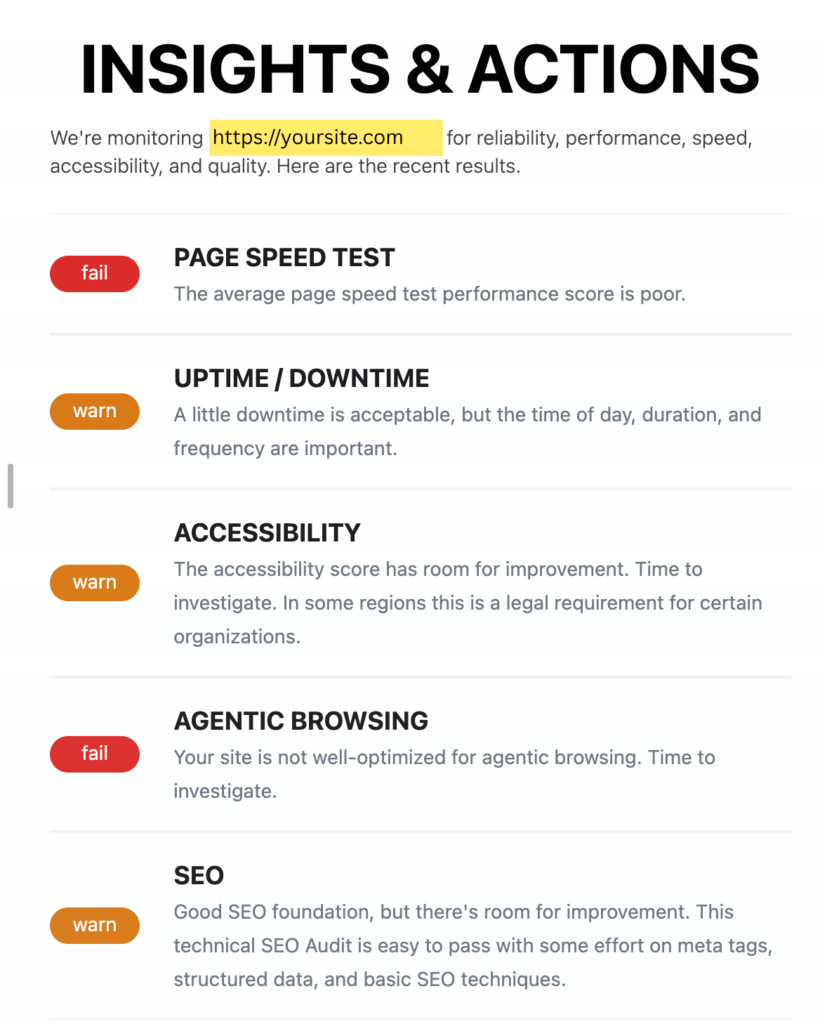
    Insights and Actions are delivered directly to your inbox and in your scorecard dashboard.

    Insights and Actions for a sample site showing failing Page Speed and Agentic Browsing Tests.  Warnings for Uptime/Downtime, Accessibility, and SEO.

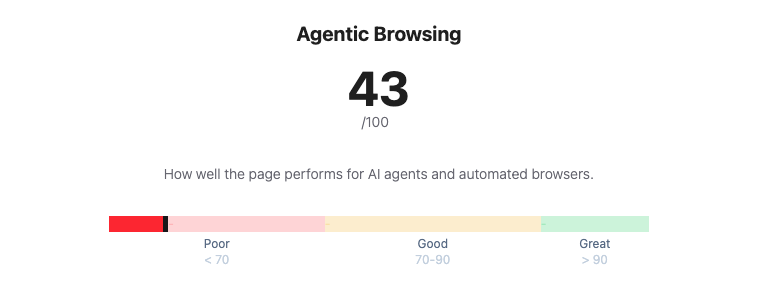
    In addition, you also see a trackable Agentic Browsing score (/100) based on the features you choose to implement. If you choose not to implement WebMCP or LLMS.txt there’s no penalty.

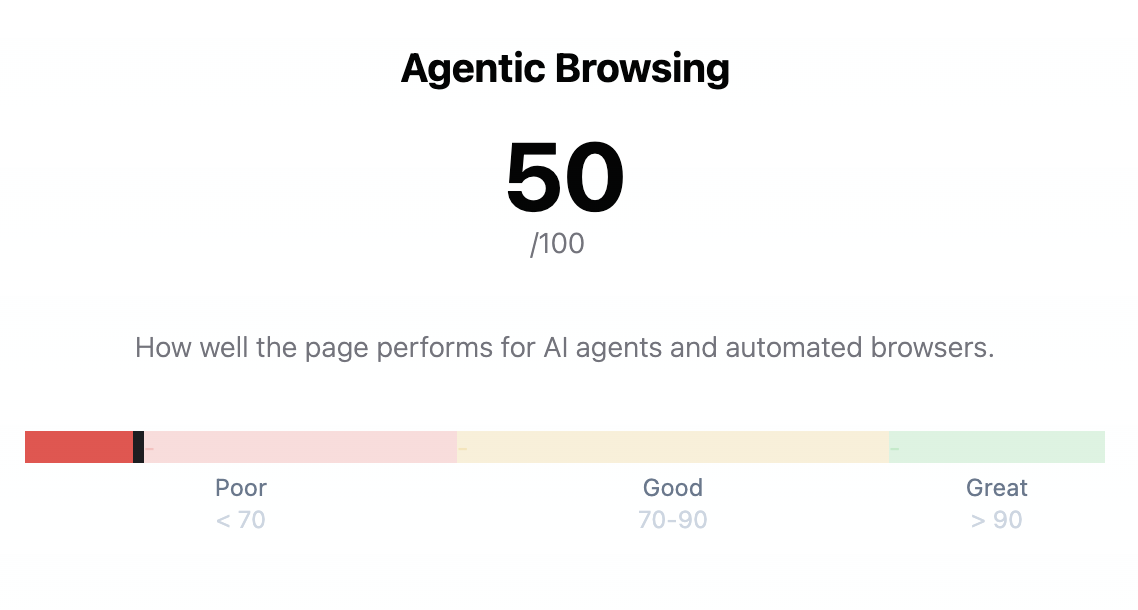
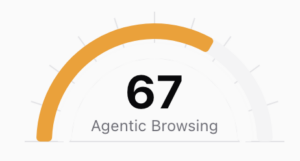
    Agentic Browsing score of 67 / 100

    Lastly, Drill deep into any failed audit to understand why it failed and how to improve.

    Deep dive on Agentic Browsing Warning showing the Accessibility tree is not well formed.

    What makes a site agent-friendly?

    This Build agent-friendly websites article on web.dev does an excellent job explaining how agents view websites, and shares why visual stability and accessibility are also core to AI agents.

    • Agents need clean machine-readable signals. They use screenshots, HTML, and the accessibility tree to understand what a page contains and what actions are possible.
    • Visual design alone is not enough. Complex hover states, shifting layouts, transparent overlays, and non-semantic elements can make a site confusing or unusable for agents. (And humans)
    • Semantic HTML matters more than ever. Use real buttons, links, labels, roles, and form associations so agents can reliably understand intent.
    • Stable layouts reduce broken actions. If buttons, forms, or key content move around after load, agents may misread the page or click the wrong thing.
    • Agent-ready is human-ready. The same improvements that help agents also improve accessibility, usability, and overall site quality.

    In addition, there are other AI Bot and Agent controls you may wish to implement. These are not yet tested by lighthouse, but are also emerging practices.

    • AI Bot Specific Rules in Robots.txt can control which pages AI bots can access, and if content can be used for searching and/or training.
    • Markdown Negotiation – Serve site content as markdown when requested, making it easier for LLMs to parse and read.

    NEXT STEPS

    What we’re stoked about is making sites agent friendly ultimately makes them a better experience for humans. Here are some steps you can take to improve both.